A pocket full of TaskPaper

Requires iOS 17.0 or later
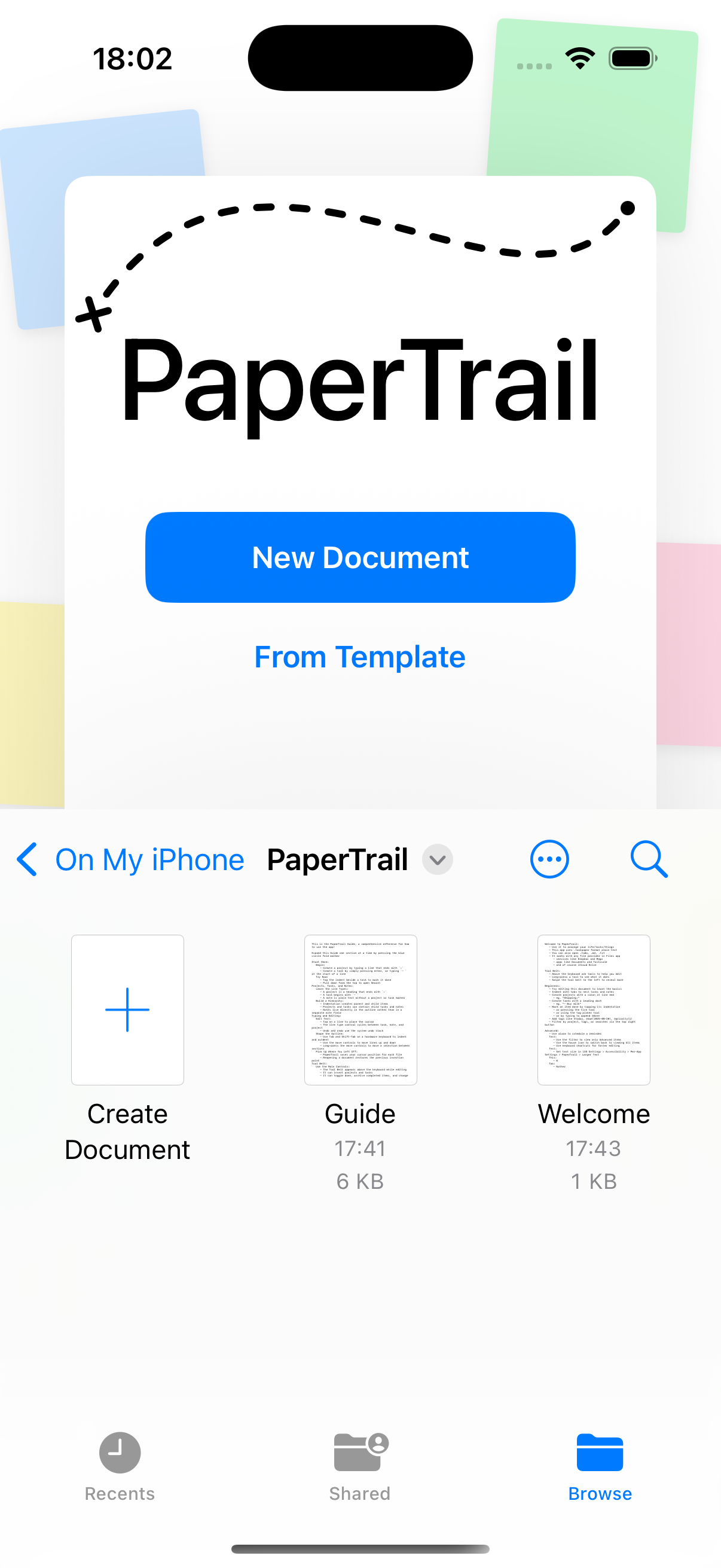
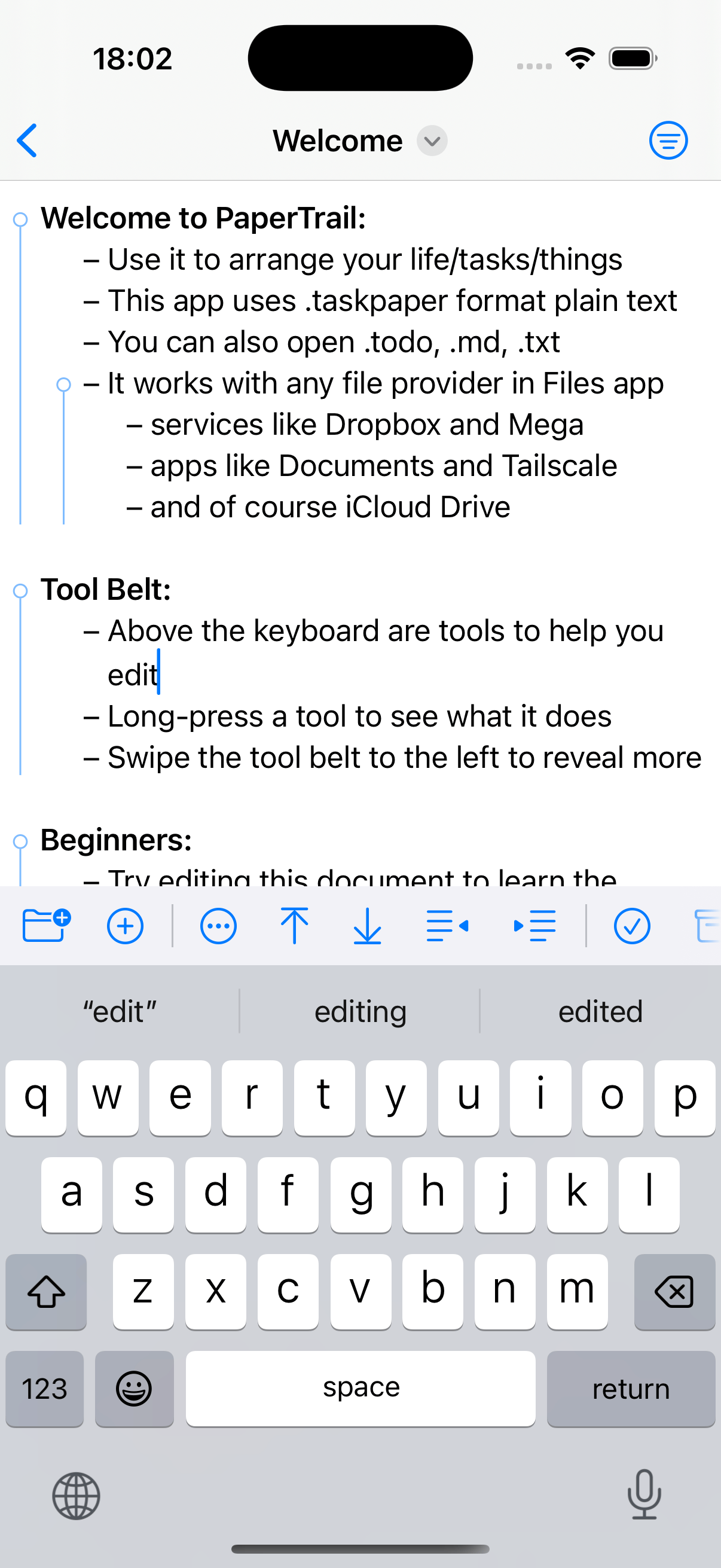
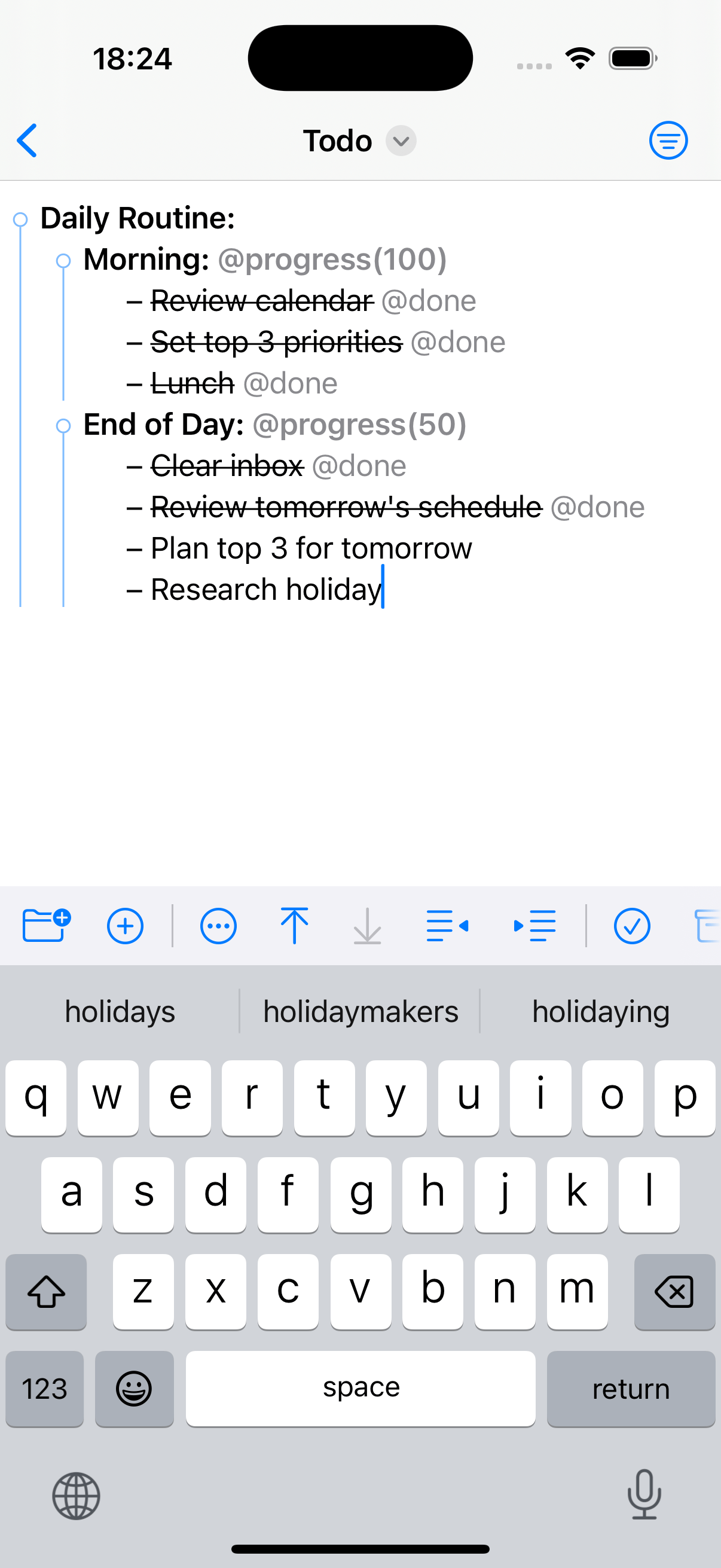
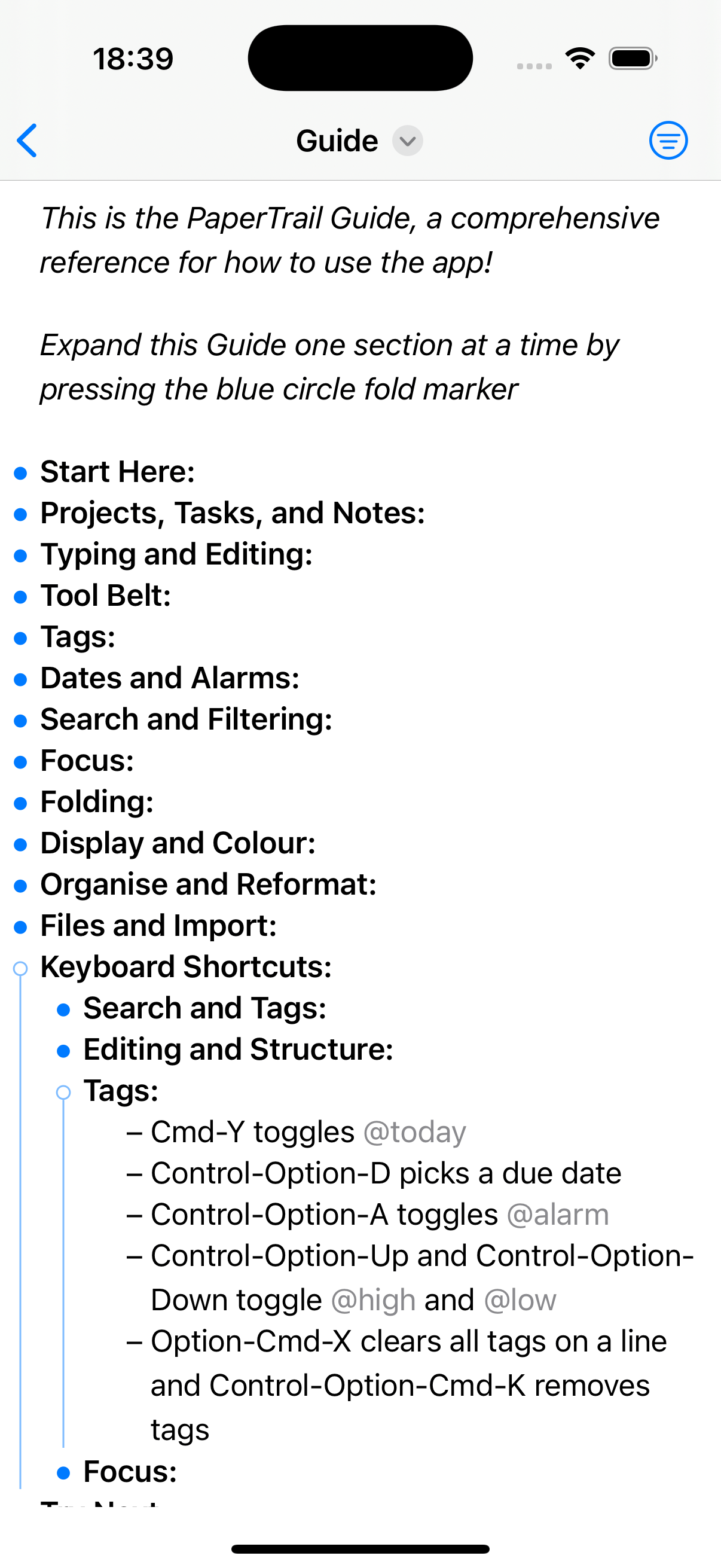
PaperTrail brings full TaskPaper editing to iOS/iPadOS. TaskPaper is plain text productivity at its finest—simple, fast, and infinitely flexible.
Projects, tasks, notes, and tags. Filter, search, and archive. All in plain text files you can sync via iCloud and edit in TaskPaper app on your Mac.
-
TaskPaper FormatFull support for .taskpaper, .todo, .txt, .md, .opml files
-
Fold & FocusCollapse, fold to depth level, recursive fold, and focus into any subtree
-
SearchFull query language with comprehensive matching
-
Tag SystemSimple tags, values, dates, progress, and cost tracking
-
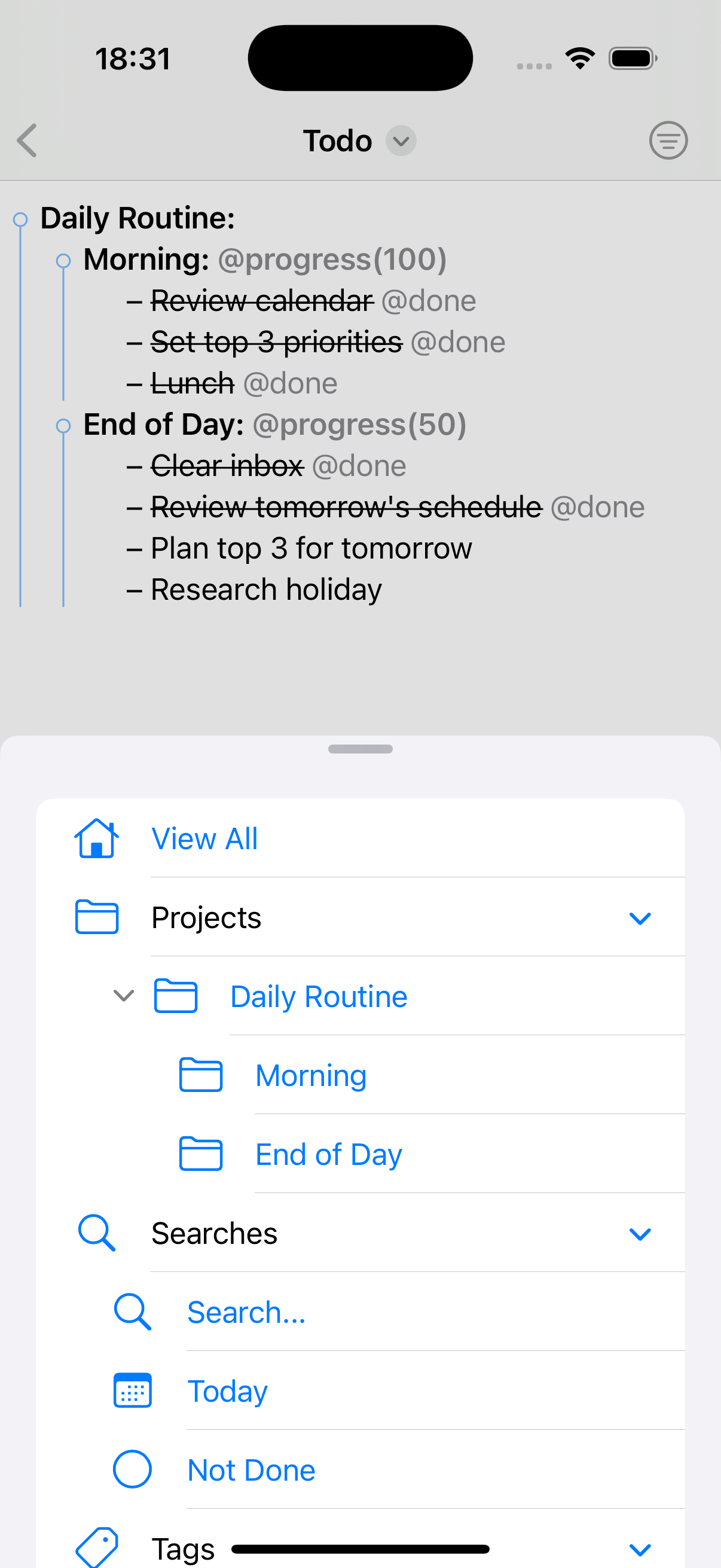
Smart FiltersFilter by project, tag, or value with edge-swipe
-
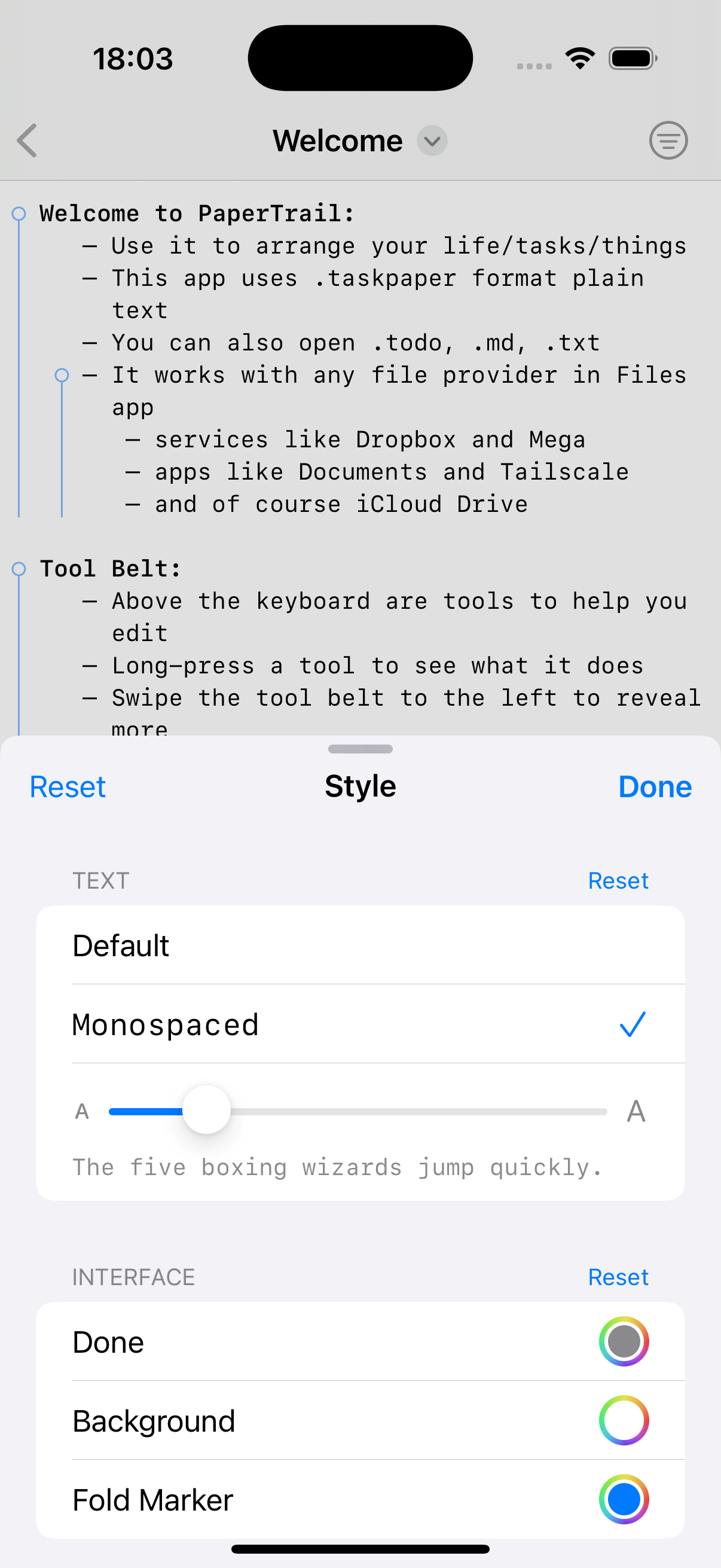
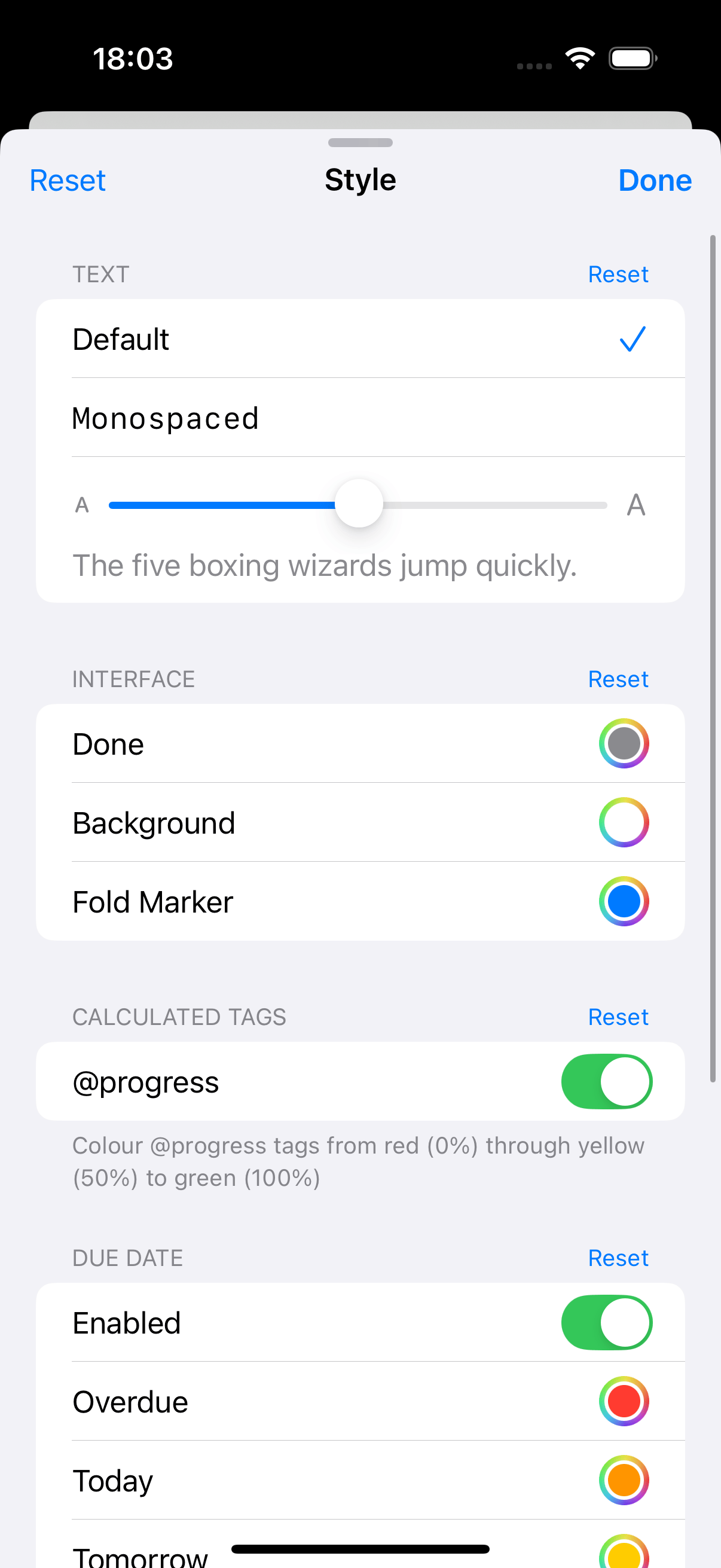
StyleSelect font, text size, and colouring
-
TemplatesBuilt-in and custom templates for new files
-
Keyboard & Gestures30+ shortcuts and edge swipes for power workflow
-
Native iOS AppDynamic Type, VoiceOver, and dark mode support
Document Management
- TaskPaper (.taskpaper, .todo), text (.txt) and Markdown (.md)
- OPML import converts outlines into TaskPaper files
- Welcome and Guide sample documents bundled for first-time users
- Built-in templates: Content Creation, Daily Routine, Event Planning, Meeting Notes, Packing List, Shopping List, Software Project, Weekly Planner
- Custom templates from a
Templates/folder in Documents - Easily work with files containing 1000s of lines
- Full Files app integration for opening, saving, organising
- iCloud sync through Files app
- Auto-save
- Automatic iCloud/Files conflict resolution
- Persistent cursor position restored when reopening a file
Text Editing
- Supports: Tasks (bulleted), Projects (headers), Notes (plain)
- Toggle between task, note, and project
- Smart bullet insertion on Return
- Context-aware indentation
- Dedicated note insertion preserves indentation without adding a bullet
- Multi-line editing, indent/outdent, move up/down
- Move lines to previous/next project section via long-press
- Reformat indentation for flat or mixed documents
- Sort top-level projects by name, due date, task count, or priority
- Full undo/redo with named action titles
Task Management
- Mark done/incomplete with
@donetag - Optional completion date:
@done(YYYY-MM-DD) - Strikethrough for completed tasks
- Toggle with spacebar or tap gesture
- Hierarchical nesting under projects
Tag System
- Simple tags:
@tagname - Valued tags:
@tagname(value1, value2) - Date tags:
@due(YYYY-MM-DD),@start(YYYY-MM-DD) - Time tags:
@alarm(HH:MM),@alarm(YYYY-MM-DD HH:MM) - Predefined:
@today,@done,@flagged,@fix,@todo,@high,@low,@for(name),@call(name) @progress(n)—auto-calculated completion percentage from child task@donestates@cost(n)—manual cost value on leaf tasks@cost(method=n)—auto-calculated aggregate (sum/count/ave/min/max) from child@costvalues- Tag picker showing existing document tags
- Prevents duplicate tags with smart whitespace cleanup
Project Management
- Nested sub-projects with hierarchical sidebar
- Collapsible projects—fold/unfold to focus on what matters
- Fold state persists across sessions
- Project filtering with base indentation stripped for sub-projects
- Duplicate project names distinguished by position
- Non-indented documents handled correctly
- Archive completed items to dedicated section, newest first
- Archived items maintain parent-child relationships
Folding
- Tap fold indicators to collapse/expand sections
⌘.to fold/unfold the current line⌘9/⌘0to collapse/expand the current item⌥⌘9/⌥⌘0to recursively collapse/expand the current item and all descendants- Fold to Level—collapse all items to depth 1–5
- Expand All to clear all folds
- Persistent fold state saved and restored per file
- Bundled Guide sample opens fully collapsed on first open
Node Focus
- Focus into any project, task, or note to edit its subtree in isolation
- Focus In drills deeper; Focus Out steps back to the direct parent, then to View All
- Focus Reveal temporarily shows the focused subtree even if ancestor sections are folded, preserving folds inside
- Left-edge swipe gesture to focus deeper; swipe back to step out
Command Palette
- Go to Anything (
⌘P): jump to projects, saved searches, and tags - Go to Project (
⌥⌘P): filtered to projects only - Go to Search (
⌃⌘P): filtered to saved searches only - Searchable, keyboard-navigable
Search & Filtering
- Full query language: text matching, tag queries, boolean logic, path navigation, set operations
[w]for word-boundary matching—car [w]matches “car” but not “card”[m]for morphological matching—run [m]matches “running”~/[~]for semantic search—~groceriesmatches “supermarket”- Combinable with
[s]for case-sensitive variants - Search scoped to current focused subtree (
⌘F) or full document (⇧⌘F) - Pull down from top of editor to reveal search bar
- Search Tree toggle to include descendants of matching items with parent context
- Built-in syntax reference sheet
- Saved searches stored in-document and shown in sidebar
- Built-in Today and Not Done searches
- Collapsible filter panel with nested project tree
- Edge-swipe to open/close the filter panel
- Filter by project, tag, or tag value
- Tap a tag in the editor to filter by it
- Edit directly within filtered views
- Long-press to cancel active filter
- Dynamic tag index auto-built from document
Natural Date Parsing
- ISO 8601 format
- Keywords: today, tomorrow, next week, next month
- Month/day: January 15, Dec 25
- Time: 6 am, 3:15 pm, 16:15
- Duration: +45 minutes, +1 week
- Combined: tomorrow 9am, next Friday +1 hour
- Date only, date and time, or time only pickers
- Inline calendar picker
Alarms & Reminders
- Set alarms with
@alarm(…)tag - Date & time, date only, or time only
- Creates iOS Reminders automatically
- Edit or clear alarms
- Removes reminders when tags deleted
Colour By
- Colour lines by priority, outline level, or due date proximity
- Priority: custom colours for levels 1–5
- Outline level: custom colours for depths 1–5
- Due date: overdue (red), today (orange), tomorrow (yellow), this week (green), later (blue)
- Toggle each mode on/off with colour pickers in settings
- Style settings apply immediately while the sheet is open, including swipe-to-dismiss
- Runs after default styling; skips
@donelines
Text Styling
- Bold font for project headers
- Italic styling for notes
- Strikethrough for completed tasks
- Coloured highlighting for
@tags @progresstags coloured based on percentage- Link detection for all types of URLs
- Hanging indent for task bullets
- Default or monospaced font
- Dynamic Type support for larger text size
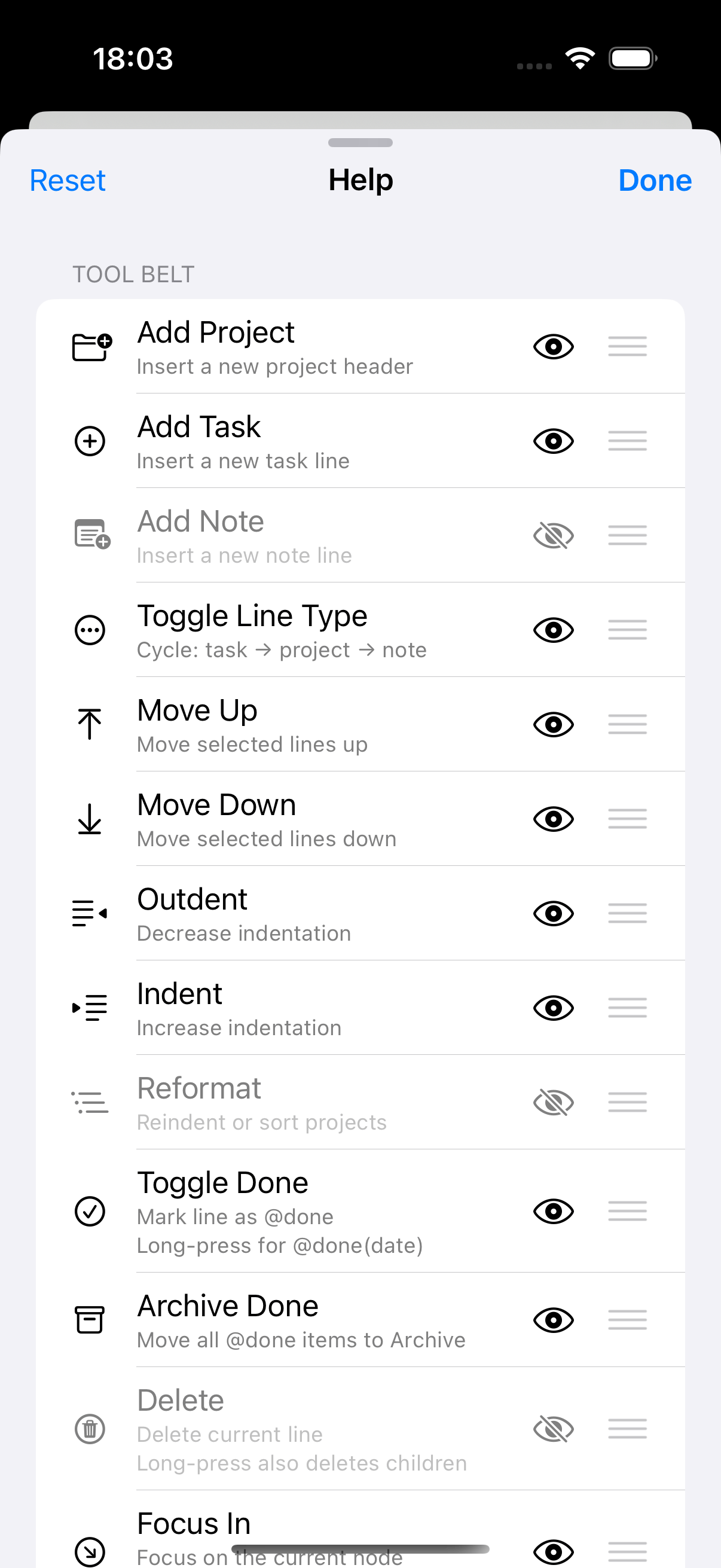
Tool Belt
- Insert project/task, toggle line type
- Optional add-note button (hidden by default)
- Toggle done, archive done items
- Long-press done for
@done(…)with date - Inline date picker, priority selection, alarm toggle
- Tag picker, indent/outdent, move up/down
@progresstoggle—auto-calculated from children@costmenu—sum/count/ave/min/max aggregation- Fold to Level menu—collapse to depth 1–5, expand all
- Colour By settings—priority, outline level, due date
- Reformat menu: reindent, sort projects
- Long-press move for section jumps
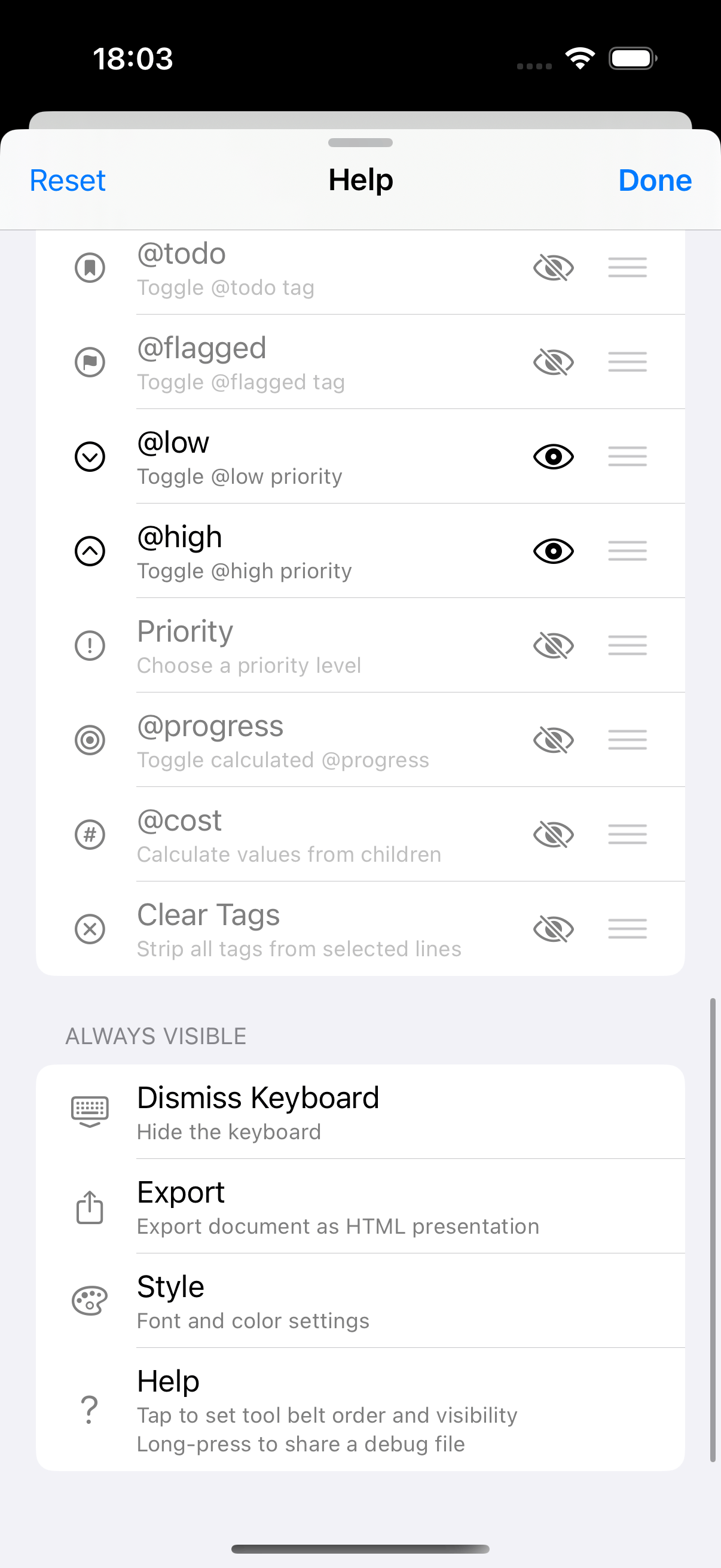
- Customisable button order and visibility via help sheet
- Fade edges indicate more buttons when scrollable
- Long-press any button for alternate function or tooltip
- Many advanced power-user features hidden by default
- Help reference via ? button
HTML Export
- Export documents as interactive HTML slide presentations
- Four themes: Light (White), Dark (Black), Keynote (Gradient), Pastels (Post-it notes)
- Keyboard controls for changing theme, toggling progress bar, page navigation
- Each top-level project becomes a landscape slide
- Share via standard iOS share sheet
Keyboard Shortcuts
⌘F: Search (scoped to current project)⇧⌘F: Search all projects⌘D: Toggle done⌘T: Tag picker⌃⌘T: Toggle line type⇧⌘A: Archive done items⌘.: Toggle fold⌘9/⌘0: Collapse / Expand current item⌥⌘9/⌥⌘0: Collapse / Expand current item completely⇧⌘←→: Outdent / Indent selection⇧⌘↑↓: Move selection up / down⌘Y: Toggle@today⌃⌥⌘K: Remove tags on current line or selection⌘Return: Insert task⇧⌘Return: Insert note⌥⌘Return: Insert projectTab/⇧Tab: Indent / Outdent⌃⌥D/T/A: Due date /@today/@alarm⌃⌥↑/↓:@high/@low⌥⌘X: Clear all tags⌘P: Go to Anything palette⌥⌘P: Go to Project⌃⌘P: Go to Search
Onboarding
- Welcome and Guide samples installed on first launch
- What’s New sheet for new installs and updates
Debug Report
- Long-press the help button (?) to generate a debug report
- Document text anonymised while preserving structure, tags, and formatting
- Includes app version, iOS version, device model, Dynamic Type size, and fold state
- Shareable via the standard iOS share sheet
Benchmarks
Benchmarks from a 5,000+ line file on iPhone 16 Pro:
- Every keystroke restyled in under 8ms—no debouncing, no delayed rendering
- 20 rapid keystrokes processed in 150ms with full restyling after each one
- Tag and boolean searches complete in under 20ms
- Visible-range rendering is 25x faster than full-document styling
- 120Hz screen refresh supported
Optimised
- Less than 1 MB app file size
- Less than 50 MB base memory footprint
- Quick to launch and built to stay in memory
How It Compares
Here’s how this app compares to other similar apps.
| PaperTrail | Taskmator | TaskPaper | |
|---|---|---|---|
| Platform | iOS | iOS | macOS |
| Native app | ✓ | – | Hybrid |
| Technology | Swift | Web | Swift+Web |
| TaskPaper format | ✓ | ✓ | ✓ |
| Search query language | ✓ | – | ✓ |
| Morphological search | ✓ | – | – |
| Semantic search | ✓ | – | – |
| Saved searches | ✓ | ✓ | ✓ |
| Node focus (Hoist) | ✓ | – | ✓ |
| Folding of projects | ✓ | – | ✓ |
| Fold to depth level | ✓ | – | ✓ |
| Persist fold state | ✓ | – | ✓ |
| Colour items | ✓ | – | – |
| Progress tracking | ✓ | – | – |
| Cost/numeric tracking | ✓ | – | – |
| Natural date parsing | ✓ | – | ✓ |
| Reminders sync | ✓ | ✓ | – |
| Tag filtering | ✓ | ✓ | ✓ |
| Edit while filtered | ✓ | ✓ | ✓ |
| Sidebar inspector | ✓ | – | ✓ |
| Keyboard shortcuts | ✓ | – | ✓ |
| Edge swipe gestures | ✓ | – | – |
| Command palette | ✓ | – | – |
| Export presentation | ✓ | – | – |
| Document templates | ✓ | – | – |
| OPML import | ✓ | – | – |
| Files support | ✓ | ✓ | – |
| Cloud sync | ✓ | ✓ | ✓ |
| Theming | ✓ | ✓ | ✓ |
| Font choice | ✓ | ✓ | – |
| Dark mode | ✓ | ✓ | ✓ |
| App size | < 1 MB | ~75 MB | ~15 MB |
PaperTrail is championed by Hog Bay Software, the creators of TaskPaper