Build paper dioramas, author, fold, cut, and pose in 3D
Coming SoonRequires macOS Sequoia 15.0 or later
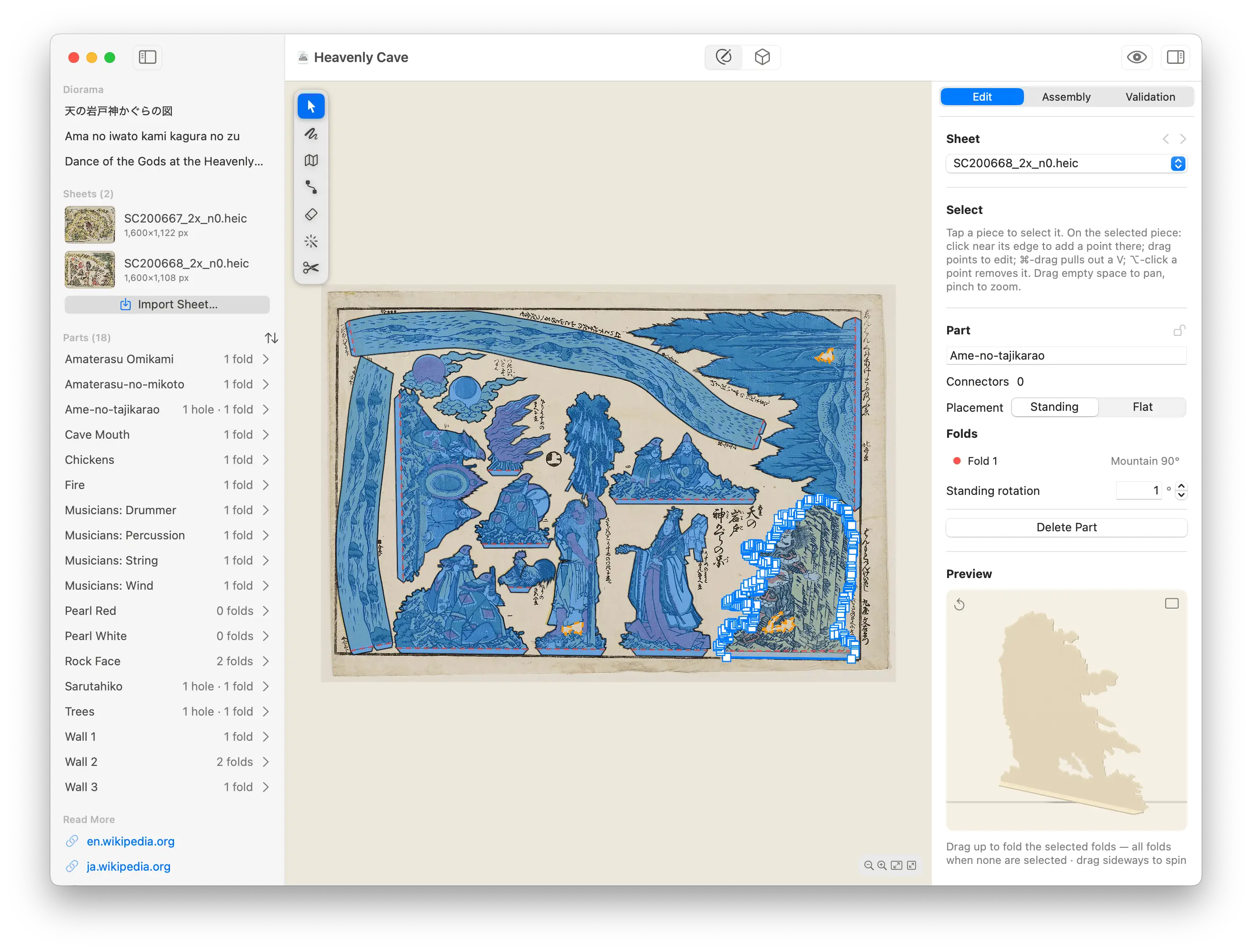
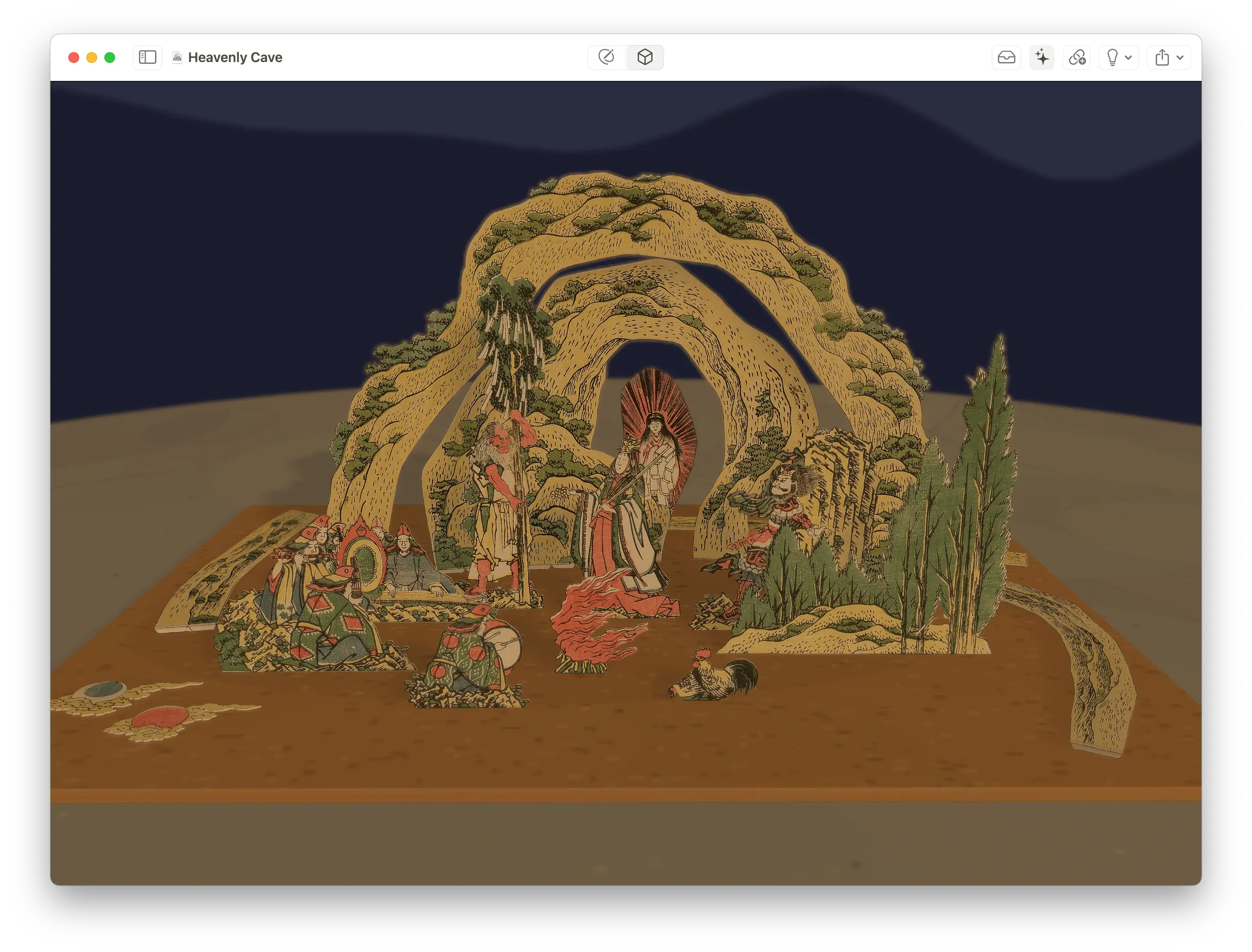
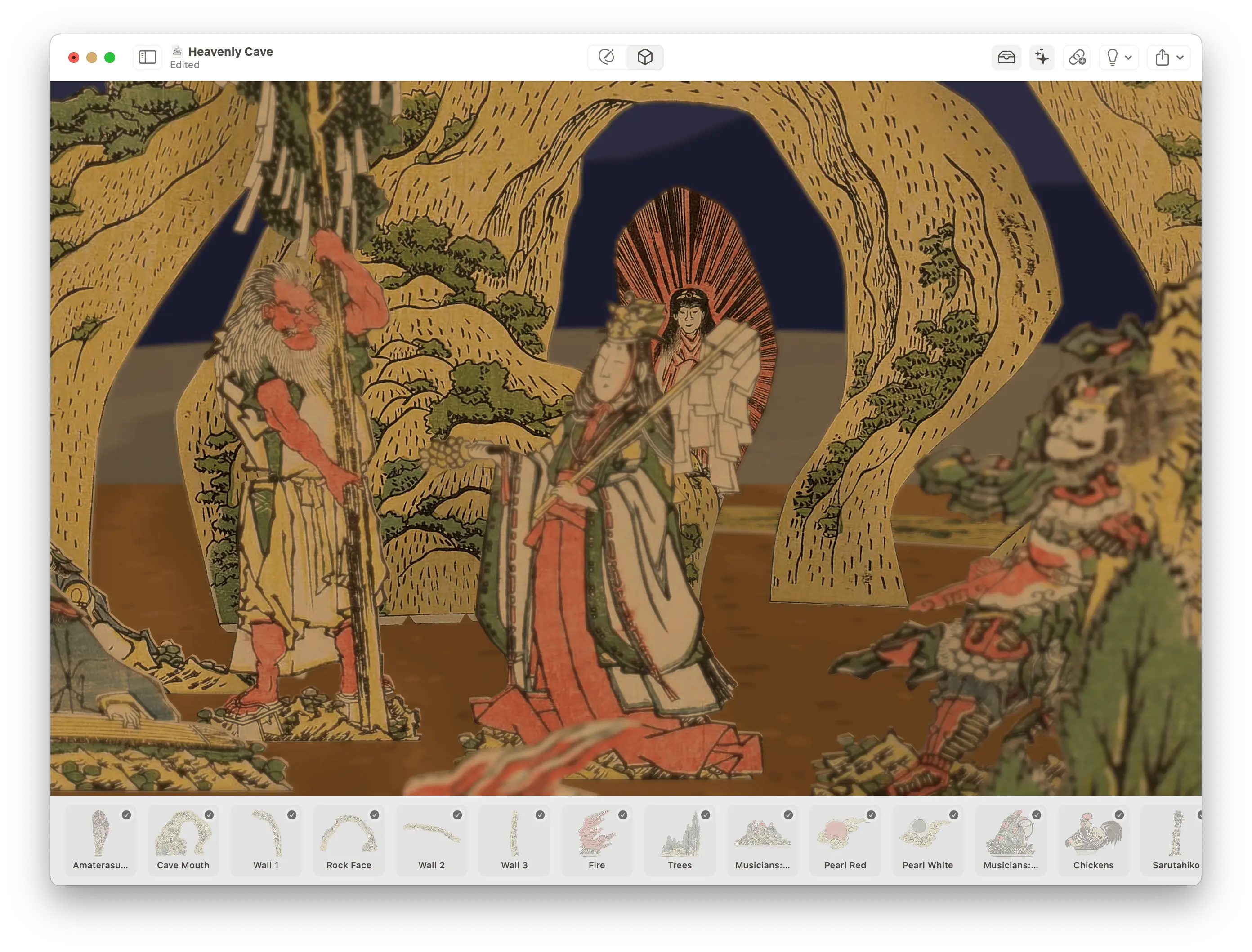
Make and build tatebanko—Japanese paper dioramas—on your Mac.
Tatebanko turns a printed sheet into cut-out, foldable parts, then lets you cut, fold, and arrange them into a standing 3D scene.
-
Author & BuildTwo modes—trace parts and add folds, then build
-
Easy to UseIntelligent tools to make light work of tracing parts
-
Cut & ArrangeCut a part and it lifts off the sheet already folded
-
Build in 3DStand parts in a scene and snap parts together
-
Scene DressingLighting, surface, foundation, and backdrop
-
On Mac, iPad & iPhoneAt your desk, on your lap, or in the palm of your hand
Author Mode
- Trace parts with a velocity-aware pen: tap for precise corners, drag to follow printed edges
- Snap to detected edges with a magnetic ~10px pull
- Detect Parts proposes outlines automatically—tap a ghost to accept it
- Point editing on the selected part: add, move, or remove anchors, ⌘-drag a V-notch
- Scissors split a merged part; Eraser thins a rough trace; Smooth pulls anchors onto the printed line
- Tools menu mirrors the toolbar with raw-letter shortcuts:
Vselect,Ttrace,Ffold,Cconnector,Eerase,Ssmooth,Xcut
Folding
- Single fold: tap two points; endpoints snap to the outline or existing folds
- Polyline mode: draw a zigzag and every crossing segment becomes a fold
- Rib mode: tap a spine for 2–40 evenly spaced rungs that curl a band into a faceted arc
- One signed control sets direction and angle: negative valley, positive mountain, 5–180°
- Folds are auto-named by position—Bottom, Left, Diagonal—read in the part’s standing frame
Holes & Connectors
- A part drawn inside another renders as a cut-out automatically—no special tool
- Folds pass through holes for free
- Tabs, slots, and flat glue marks connect parts
- Pairs link with a visible thread and survive switching sheets, so cross-sheet pairs work
Build Mode
- Cut: trace the cut line for tick-by-tick feedback, or press out instantly
- A cut part lifts off the sheet already folded—cutting is the only manual step
- Arrange: stand parts in a 3D workspace; standees stand upright, flats lie as bases
- Drag to connect: authored pairs snap together with a ghost preview, then click home
- Pose parts with ±15° rotation; ⇧-drag slides the whole scene at once
- Guided mode pulses parts in assembly order and advances one step at a time
Scene & Export
- Orbiting camera with truck and height controls, horizon kept level
- Lighting presets: daylight, lantern, museum spot, and studio
- Surfaces: wood, cardboard, stone, or a custom image
- Foundation base box: cardboard, foam board, cork, stone, wood, or none
- Backdrops: sky, trees, mountains—each drawn to follow the lighting mood
- Depth of field for the miniature-diorama look
Fold Viewer
- A standalone fold-animation preview for one part
- Scrub a fold-progress slider, drag a hinge to fold, drag to spin a turntable
- Fold all or unfold with an eased ramp, and pick any hinge
Good Behaviour
- Native
.tatebankodocument packages store the model, sheets, and build progress together - Working state is remembered per window—mode, tool, sheet, selection, zoom, and pan
- Trilingual document naming: Japanese, Rōmaji, and English
- Built-in upscaler can cleanup smaller images while keeping every outline and fold valid
- Synthesised sound and haptics: cut tick, part lifted, fold snap, connect click
- Built with SwiftUI and SceneKit; Apple Pencil drawing on iPad
Artwork Sources TBC
The tatebanko prints the app processes are scans of public-domain woodblock originals. The artwork is drawn from many independent museums and digital archives—not reliant on any single collection:
- Adachi City Museum, Tokyo, Japan
- Art Research Centre, Ritsumeikan University, Kyoto, Japan
- British Museum, London, UK
- Kansai University Digital Archive, Osaka, Japan
- Kumon Museum of Children’s Ukiyo-e, Tokyo, Japan
- Museum of Fine Arts, Boston, USA
- National Museum of Asian Art, Smithsonian Institution, USA
- National Museum of History and Folklore, Chiba, Japan
- National Diet Library, Tokyo, Japan
- Tokyo Metropolitan Library Digital Archive, Tokyo, Japan
- Waseda University Cultural Resource Database, Tokyo, Japan